Entities
Entities are a core concept that maps your business entities to telemetry concepts. They enable entity detection, highlighting, message matching, and many features that depend on identifying your AI components. Entities add badges and icons to spans, enable filtering by entity type, surface important fields as highlights on span cards, and extract chat messages for conversations. Learn more about Entities in the core concepts.
Why entities matter
Entities are one of the most important features in Arcane. They enable:
- Entity detection — Arcane identifies which spans match your business entities
- Highlighting — Important information (latency, tokens, errors) is highlighted on span cards
- Message matching — Chat messages are extracted from model spans for readable conversations
- Entity badges and icons — Spans show entity badges and icons to quickly identify AI components
- Filtering — Filter traces by entity type to focus on specific components (models, tools, agents)
- Trace visualization — Entity types help organize and visualize traces
- Conversation stitching — Entities help identify and group related spans
Many features throughout Arcane depend on entities working correctly. Without entities, traces remain raw telemetry data that's hard to understand and use.
What you see
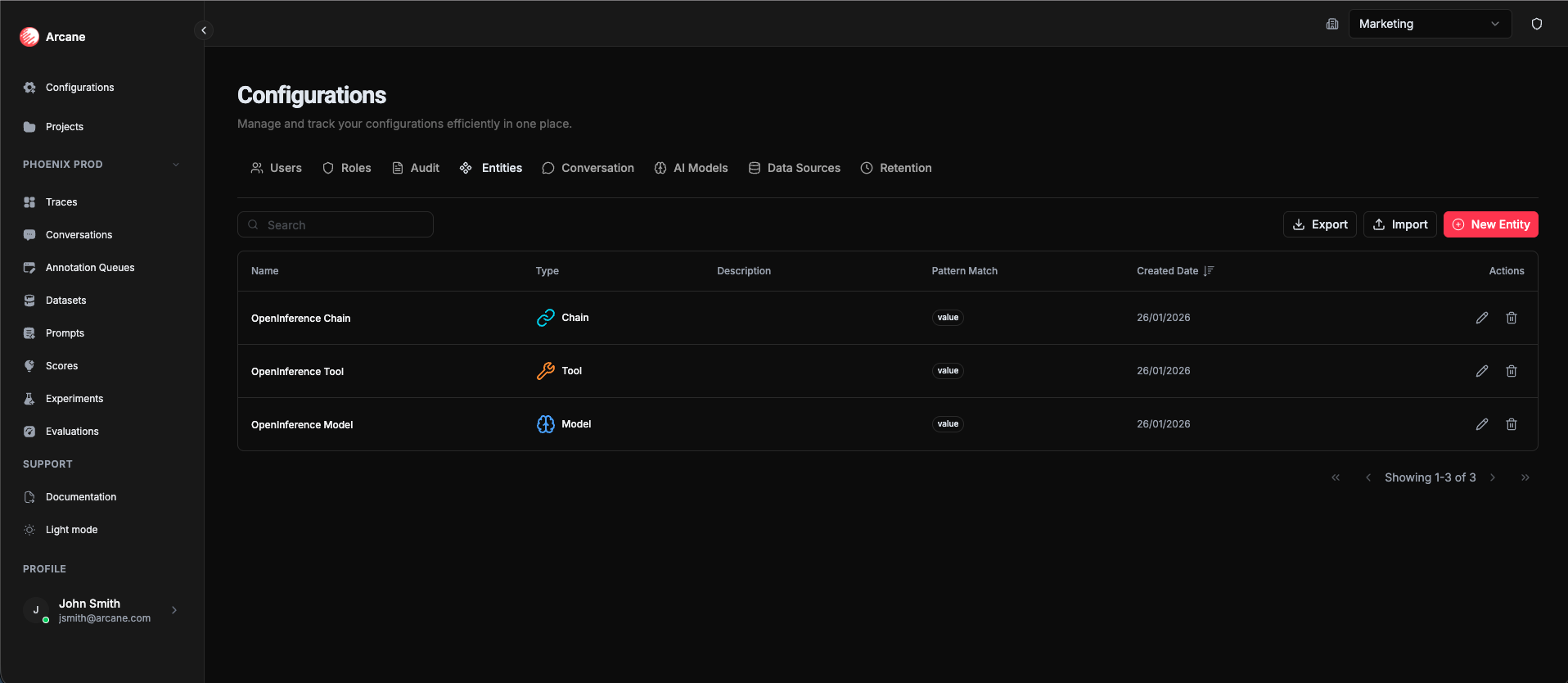
The Entities tab shows a table of all configured entities:
| Column | Description |
|---|---|
| Name | The entity name (e.g., "GPT-4", "Search Tool") used for badges, icons, and filtering |
| Type | Entity type (Model, Tool, Agent, etc.) |
| Description | Optional description of what this entity represents |
| Pattern Match | The matching rule used to identify spans |
| Created Date | When the entity was created |
| Actions | Edit, Delete, and reorder buttons |
Quick Start (Start from Source)
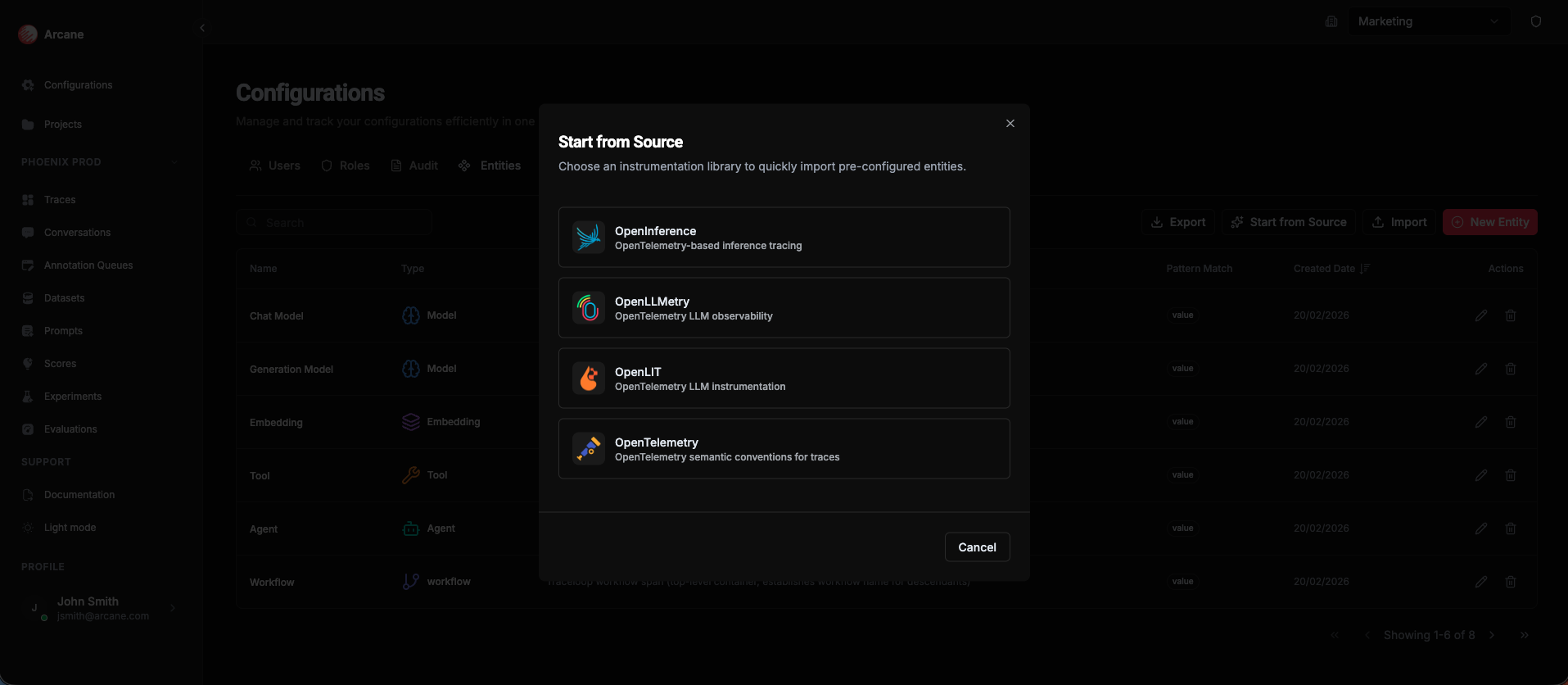
If you use a popular instrumentation library, you can import pre-configured entities in one click. Click Start from Source to open a dialog with templates for:
| Library | Description |
|---|---|
| OpenInference | OpenTelemetry-based inference tracing |
| OpenLLMetry | OpenTelemetry LLM observability |
| OpenLIT | OpenTelemetry LLM instrumentation |
| OpenTelemetry | OpenTelemetry semantic conventions for traces |
Select a library and the entities are imported immediately. You can re-import later to update entities—entities with externalId are updated in place instead of duplicated.
Creating an entity
Click New Entity to create an entity that labels spans. The creation process is a multi-step wizard.
The wizard has four steps:
Step 1: Basic Info
| Field | Required | Description |
|---|---|---|
| Entity Type | Yes | Choose from: Model, Tool, Agent, Guardrail, Embedding, Retriever, Evaluator, or Custom |
| Name | Yes | The entity name used for badges, icons, and filtering (e.g., "GPT-4", "Search Tool") |
| Description | No | Optional description to help your team understand what this entity represents |
Step 2: Matching
Define how Arcane identifies spans that should get this label:
- Attribute name — The span attribute to check (e.g.,
openinference.span.type) - Value or regex — The value to match, or a regex pattern (e.g.,
MODEL)
Tip: Put more specific rules first. Arcane uses the first matching entity, so order matters.
Step 3: Highlights
Choose which fields appear on span cards when this entity matches. Examples:
- Latency
- Token count
- Error messages
- Custom attributes
Step 4: Message Matching (Models only)
For Model entities, configure how to extract chat messages from spans. This makes conversations readable in the Trace view and Conversations page.
Buttons: Cancel closes without saving. Next moves to the next step. Create finishes on the last step.
Entity types
| Type | Use case |
|---|---|
| Model | LLM calls (GPT-4, Claude, etc.) |
| Tool | Function calls, API calls |
| Agent | Agentic workflows |
| Guardrail | Safety checks, content filters |
| Embedding | Embedding model calls |
| Retriever | RAG retrieval steps |
| Evaluator | Evaluation steps |
| Custom | Any other AI component |
Import and export
- Export — Download your entity catalog as YAML.
- Import — Upload a YAML file to restore entities from a backup or copy them to another organization.
Updating entities on re-import (externalId)
Entities with an externalId field are updated when re-imported, rather than duplicated. This lets you:
- Re-import a Quick Start template to pull in changes or fixes
- Maintain consistent entity definitions across environments (e.g., staging → prod)
- Iterate on a YAML file and re-import without creating duplicates
Exported YAML includes externalId when present. For manual imports, add externalId to entities you want to be updatable (e.g. externalId: opentelemetry.chat).
Tip: Export your entities before making major changes, or when setting up a new organization with similar components.
When to use
- Before browsing traces — Add entities so spans show entity badges, icons, and highlights
- For models — Configure message matching so conversations are readable
- Organizing components — Create entities for all your AI components (models, tools, agents)
- Team clarity — Use clear, consistent names so your team can quickly identify components
Example
Scenario: You want to detect entities defined by the OpenInference instrumentation library. In this case, you want to detect all LLM calls (also called "Models"). You create a Model entity, define the matching rule, configure message detection, and then you can see the messages from the span.
- Entity Type: Model
- Name: OpenInference Model
- Matching: Attribute
openinference.span.type, ValueMODEL - Message Matching: Configure how to extract chat messages from the span
- Result: All matching spans show "OpenInference Model" badge, and chat messages are extracted and visible in the Trace view and Conversations page
Related
- Traces, Spans & Conversations — How entities make traces readable
- Traces — See entities in action on span cards
- Conversations — Message matching makes conversations readable
- Organisation Configuration — Overview of all organization configuration options