Managing Organizations
Organizations are the top-level containers in Arcane. Each organization can have multiple projects, and users belong to organizations. Use the Organizations tab to create new organizations or delete existing ones.
What you see
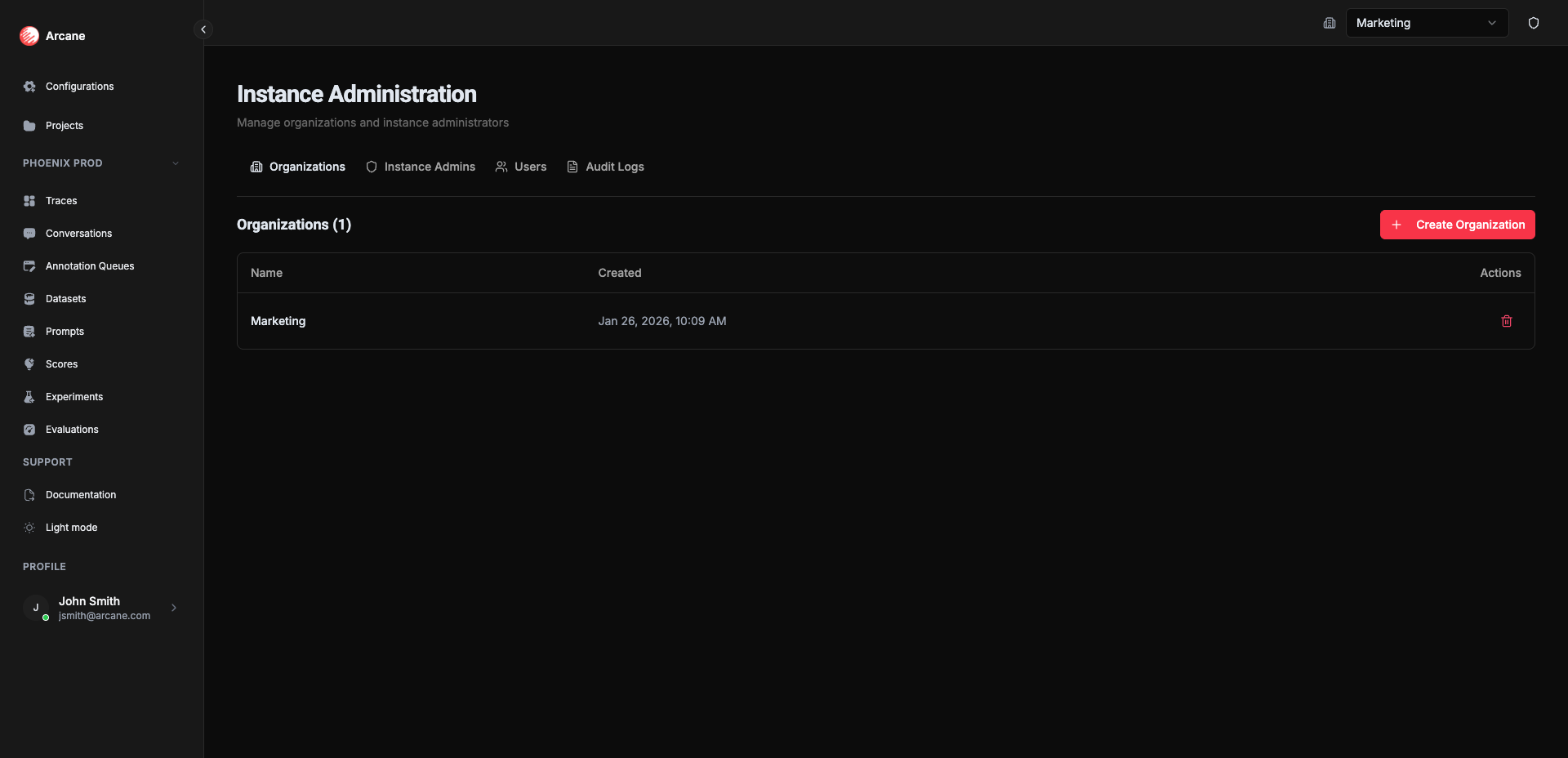
The Organizations tab shows a table of all organizations in your instance:
| Column | Description |
|---|---|
| Name | Organization name |
| Created | When the organization was created (formatted date and time) |
| Actions | Delete button to remove the organization |
Creating an organization
Click Create Organization to add a new organization to your instance.
Create Organization dialog
| Field | Required | Description |
|---|---|---|
| Organization Name | Yes | Enter a name for the new organization |
Buttons: Cancel closes without saving. Create creates the organization.
Tip: Organizations are useful for separating different teams, environments (staging vs. production), or business units. Each organization has its own datasources, entities, projects, and users.
Deleting an organization
Click the trash icon next to an organization to delete it. This action:
- Removes the organization and all its data
- Deletes all projects within that organization
- Removes all users from that organization
- Cannot be undone
Warning: Deleting an organization permanently removes all associated data including projects, evaluations, experiments, traces, and configurations. Make sure you have backups if needed.
What happens after creating an organization
Once you create an organization:
- Configure it — Set up datasources, entities, and other organization-level settings in the Organisation Configuration page
- Add users — Invite users to the organization from the Configurations hub
- Create projects — Set up projects within the organization for your teams
When to use
- Setting up your instance — Create your first organization when getting started
- Separating teams — Create separate organizations for different teams or departments
- Environment isolation — Use different organizations for staging and production environments
- Multi-tenant deployments — Create organizations for different customers or tenants
Related
- Organisation Configuration — Configure datasources, entities, and other organization settings
- Managing Users — View all users across the instance
- Instance Administration Overview — Overview of all instance administration features